

Tickets
Every job and request in one place, with the whole story of each one on a single timeline.
No per-user pricing for up to 50 users.
Tickets are the hub of Serlix. Quotes, invoices, property and appointments all attach to a ticket, and a ticket belongs to a customer, so a customer's record shows every ticket they have ever had, with its quotes, invoices, appointments and notes.
Nothing forces you to use a ticket. A quote or invoice can stand alone, and a ticket does not need a customer or an assignee until you want one.
The whole story on one timeline
Notes, status changes, assignments, quotes, invoices, payments, refunds, appointments, time entries and service level breaches appear as lines in the ticket flow, with an icon and a coloured state on each.
Tasks that track themselves
Add a simple task with a due date and time spent. Completing it logs the time on the ticket. An overdue task moves the ticket to Attention - Overdue, and back again when it is done.
Statuses and categories are yours
Start from a ready-made set of fifteen statuses and rename, recolour or add your own. Choose which ones archive a ticket. Categories work the same way.
Property on the ticket
Record the customer's equipment with serial, manufacturer, model, colour and accessories. It is saved on the customer and attached to the ticket.
Notes you can trust
Every note shows who wrote it and when. Only people with permission can remove one. The text stays on the record and the removal is audited.
Live, and on your phone
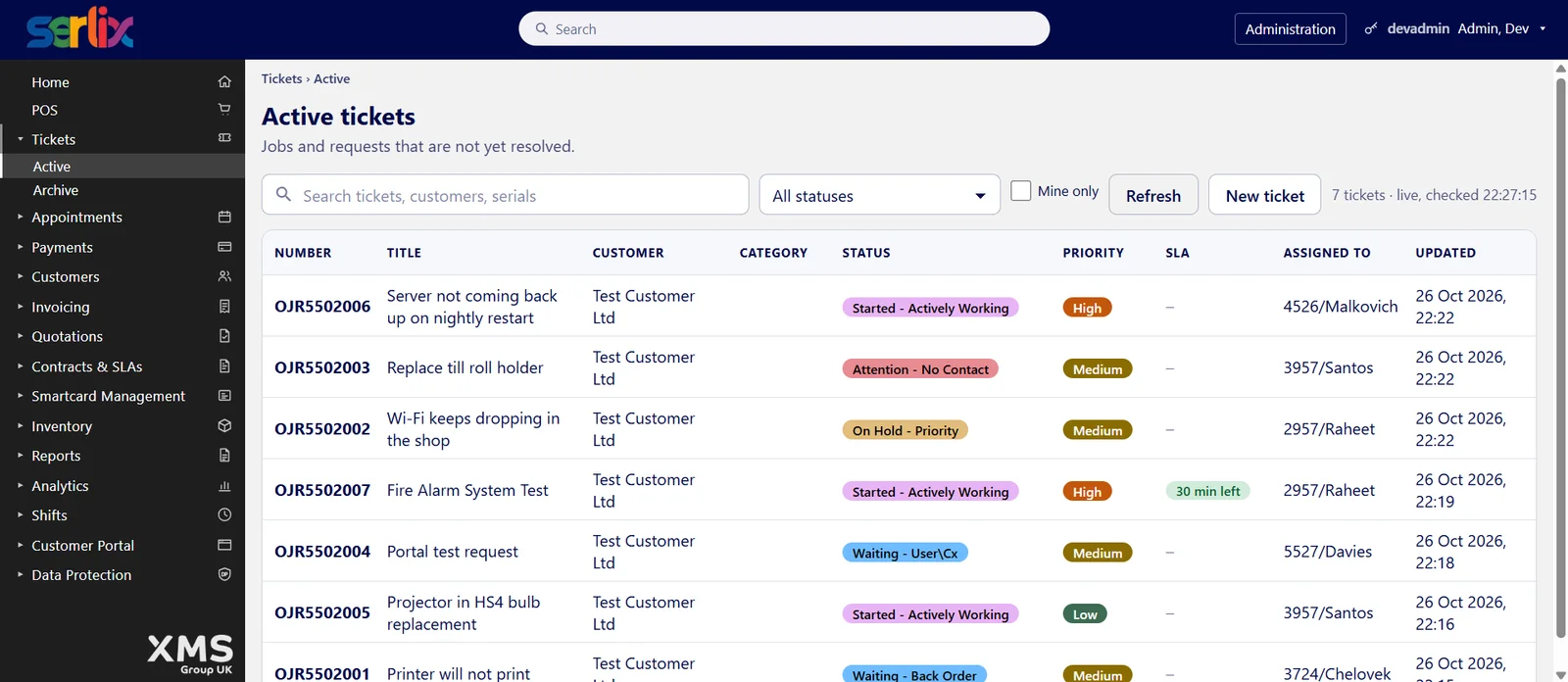
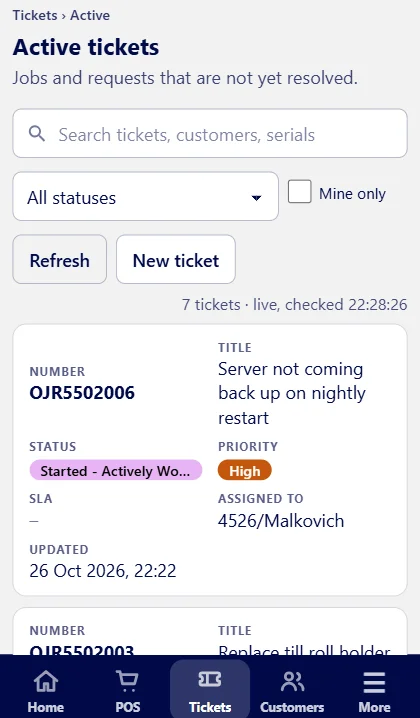
The ticket list and each ticket refresh by themselves, and both have a layout designed for a phone.
Printed summaries
Print or save a ticket summary, a detailed summary of the whole flow, or a customer-facing service report that leaves out staff names and internal comments.
Customers can follow along
In the Customer Portal, customers see their ticket's progress in their own wording, reply to messages and raise new requests.
A ready-made set of statuses
New tickets start with a familiar set, grouped so that you can see what needs attention at a glance. Change any of it in Administration.
- Requires Assignment
- Started: Actively Working, Long Process
- On Hold: Roadblock, Funding, Priority
- Waiting: User or Customer, Supplier, Back Order
- Attention: Audit, Overdue, No Contact
- Resolved: Completed, Cancelled, Refused (these move the ticket to the archive)
Works with
Customers
One complete record for every customer, personal or business, with their whole history in one place.
View module →Worksheets
Checklists that make sure the job is done properly, and recorded step by step.
View module →Appointments
Book visits and jobs against a ticket, check people in and out, and bill the time on site.
View module →Contracts and SLAs
Support contracts, warranties and service levels, with the clock watched for you.
View module →Quotes & Invoicing
Quote, approve, invoice and refund, all from one place and without retyping.
View module →Customer Portal
A branded site where your customers help themselves, any time of day.
View module →