

POS and Register
A till you lay out yourself, with the register counted in and out and every sale tied into your records.
No per-user pricing for up to 50 users.
A sale at the till is an invoice from its first line. Completing it creates the invoice, records the payment, updates stock and adjusts the balance in one step, so nothing is left half done.
The till is built for touch, with big tiles, a Back button and as many levels as you need. The rest of Serlix is built for mouse and keyboard.
Your own tile layout
Build the tiles in Administration, to any depth. A tile can open a folder, add a time-based rate, add a fixed item such as a fee, or add a stock item at its live price.
Rates that price themselves
Pick the hours and minutes. Serlix rounds to the rate's increment, applies any minimum time or minimum amount, and works out the price.
Register open and close
Count the float into a drawer or cash bag when you open, and count again when you close. The till stays locked until a register is open.
Differences caught
The opening count is compared with the drawer's last closing count. A discrepancy at close needs approval from someone allowed to give it.
Cash, card and vouchers
Cash opens a tender window with your notes and coins and works out the change. Card takes the approval code. Scan or type a voucher. Any payment can be a part payment.
Supervisor mode
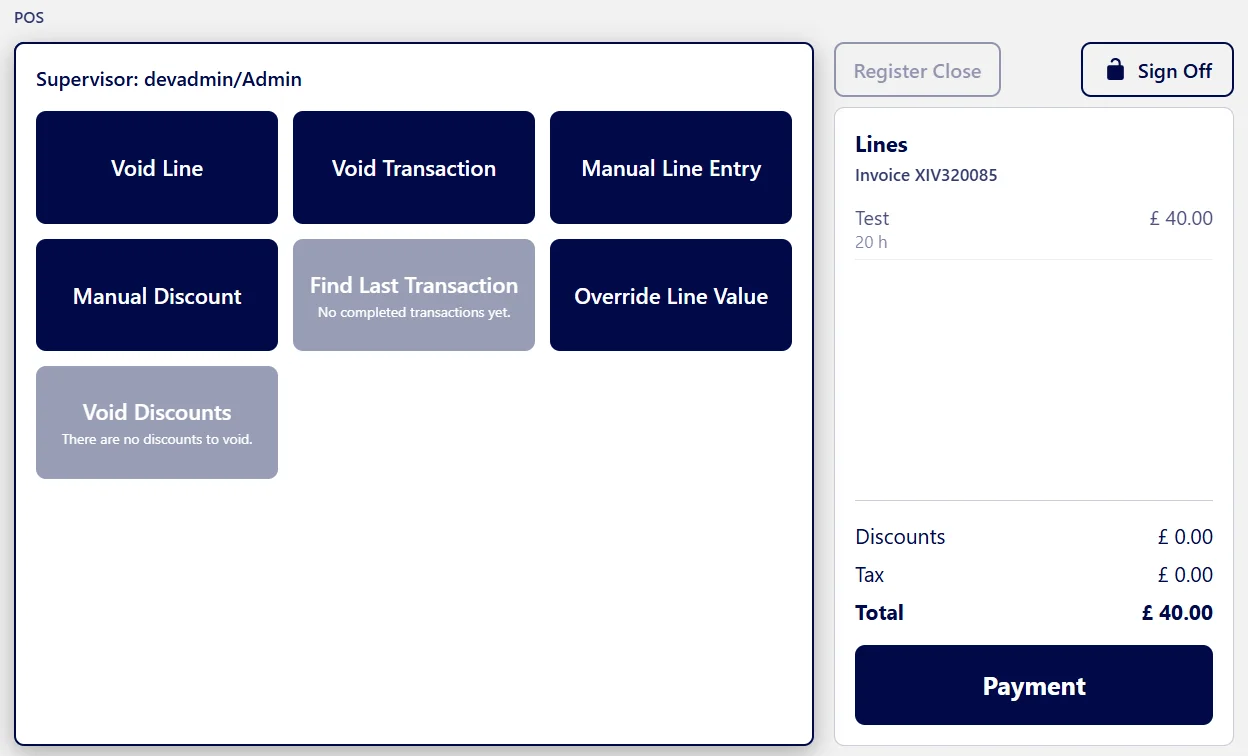
A personal four-digit PIN opens a short window for voids, manual lines, manual discounts, price overrides and finding the last transaction. Each option has its own permission.
Locked against guessing
Three wrong PINs grey out the till for 60 seconds. Every attempt, void and override is recorded against the person who made it.
Stock stays right
Every sale takes stock out. Out-of-stock items show greyed out, and can be overridden with a supervisor PIN.
Discounts across the sale
Discounts apply to the whole transaction and are recalculated after every change. Each discount can ask for a supervisor PIN.
Receipts that suit you
Receipts carry your logo, business details, who served, the lines, discounts, payments, the card approval code and the change given.
After the sale
- When the balance reaches zero, you complete the sale and choose what happens next: email the invoice, print a receipt, or print an A4 invoice.
- Nothing prints or sends by itself, and there is a button to start a new sale.
- A sale in progress is kept when you move around, lock the till or log out, until a supervisor voids it.
- Refunds are not done at the till. They are made from the invoice, by people allowed to refund, and always create a credit note.
Cash-up reports
- A report is issued at every register open and close, and can be printed.
- They are listed under Reports, for people whose role allows it.
- A cashless session can be opened when no cash will be taken. There is no drawer and no count.
Works with
Stock
Know what you have, what it costs, what it earns and when to reorder.
View module →Payments
Every payment recorded, every receipt on file, and vouchers you can issue, scan and track.
View module →Quotes & Invoicing
Quote, approve, invoice and refund, all from one place and without retyping.
View module →Reports
Reports that sit alongside the part of the business they report on.
View module →